Getting started in iMovie is pretty easy, all you have to do is open it up, and import your media and go from there using transitions, and video effects. You can also insert music, just like how you can in Garageband. When you go File>Project Properties, you can select a theme for your movie. When organizing your video, you can select certain parts from your media that you want to be in your movie, by dragging your mouse on the spot you want.
Fixing a shaky video is easy, all you have to do is go to File>Analyze for Stabilization. It will take some time, depending on how large your video is. Like I mentioned earlier, you can add music to your video, just as if you were doing so in Garageband. Adding titles and transitions is easy, all you do is find the "T" button, and select the title you want. Adding voice over is easy, you just need a microphone installed, and you click the microphone button. When sharing your video, you go to the Share drop down menu, and you can share with various options.
Tuesday, December 6, 2011

Thursday, December 1, 2011
Walking Gallery
I liked the theme put on by Jake, even though it was Hawkeye themed. He used Shonn Greene in just about, if not all pictures.
I thought Brandon's change a face was hilarious, due to the fact that he replaced his face with a person of Asian decent. I also liked Will's edit of the city (can't remember what city) which made it seemed like it was night time.
Best sound mix award has to go to Scott Stanley, because he mixed two very good songs and got me pumped up.
I think the best aspect that these two units have taught us, was how to present your projects well. We learned how important siting your sources is.
I personally feel more comfortable with using some of these programs. Photoshop was my favorite learning how to use.
I now know how to use Photoshop, and I plan on eventually buying it and I know I can have some fun with it.
News Podcast
I really think that I fulfilled what I was supposed to. I made a news podcast on the Iowa State win against Oklahoma State. I felt as if this was appropriate, because it was a very big win for the Iowa State program, because Oklahoma State was the second ranked team in the nation at the time.
I feel as if I have a better understanding on how to create podcasts, and how to create things with sound. This was a very neat unit.
I feel as if I have a better understanding on how to create podcasts, and how to create things with sound. This was a very neat unit.
Monday, November 14, 2011
Sound Intro and Hearing Loss
After learning a little about sound, I found out that sound travels in waves. You can measure sound in decibels. I learned that sound can bounce off things, which causes an echo.
In the Today show video, I learned that it is very easy to lose your sense of hearing. I also learned that now days, it is easier to lose your hearing because of the headphones we put in our ears to listen to music.
In the Today show video, I learned that it is very easy to lose your sense of hearing. I also learned that now days, it is easier to lose your hearing because of the headphones we put in our ears to listen to music.
Friday, November 11, 2011
Photoshop Examples
Remove a Person |

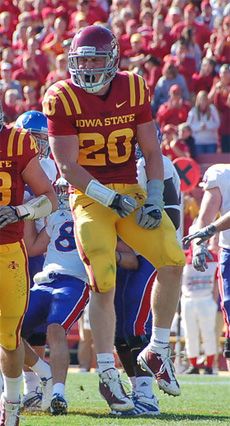
With this picture, I used the clone stamp tool to remove the Baylor defender to make the catch seem like it was easier than it really was.
Spot Color
 |
| http://www.warriorsocceracademy.com/images/waukee_football_field-web.jpg |

I first desaturated this photo, then used the color tool to get the color back on just the field and the track.
Wednesday, November 2, 2011
Photo Slideshow
In this unit, I learned about how you can edit photos using iPhoto. I learned that it is pretty easy to make photos look better. I also learned how to add effects to photos to make the neatness stand out.



Monday, October 31, 2011
iPhoto
Whelp, here's my first post in this blog. Be sure to stay tuned to see what kind of shenanigans I am up to in this class. In this unit, i will be learning how to edit and share photos. I photo is a built in software on Mac computers. It doesn't have all the functions that Photoshop has, but it is good for beginners. In iPhoto, you can crop, and change the coloring of the photos. If you get to know the program well, you can do some pretty neat things with this program.
Subscribe to:
Posts (Atom)